Building Intelligent Web Systems with Python & Flask.
Designing and engineering high-throughput Flask applications, AI-powered automation pipelines, real-time streaming architectures, and resilient Python microservices built to scale effortlessly.
Architected for Speed, Resilience & Intelligence
Combining the agility of Python's premier lightweight micro-framework with modern AI inference, asynchronous execution, and robust production patterns.
Intelligent Microservices
Low-overhead Flask API endpoints orchestrating LLMs, function calling tools, and agent workflows with sub-40ms latency.
Asynchronous Pipelines
Decoupled Celery and Redis worker meshes capable of sustaining 12,000+ background tasks per minute without blocking web requests.
RAG & Vector Retrieval
High-precision document grounding using ChromaDB, Qdrant, and hybrid semantic reranking engines with citation tracking.
Computer Vision Gateways
Real-time RTSP video stream processing, YOLOv11 object segmentation, and OpenCV analytics delivered over WebSockets.
Production Flask & AI Systems
Explore battle-tested web systems designed with end-to-end Python architecture and skeuomorphic precision.
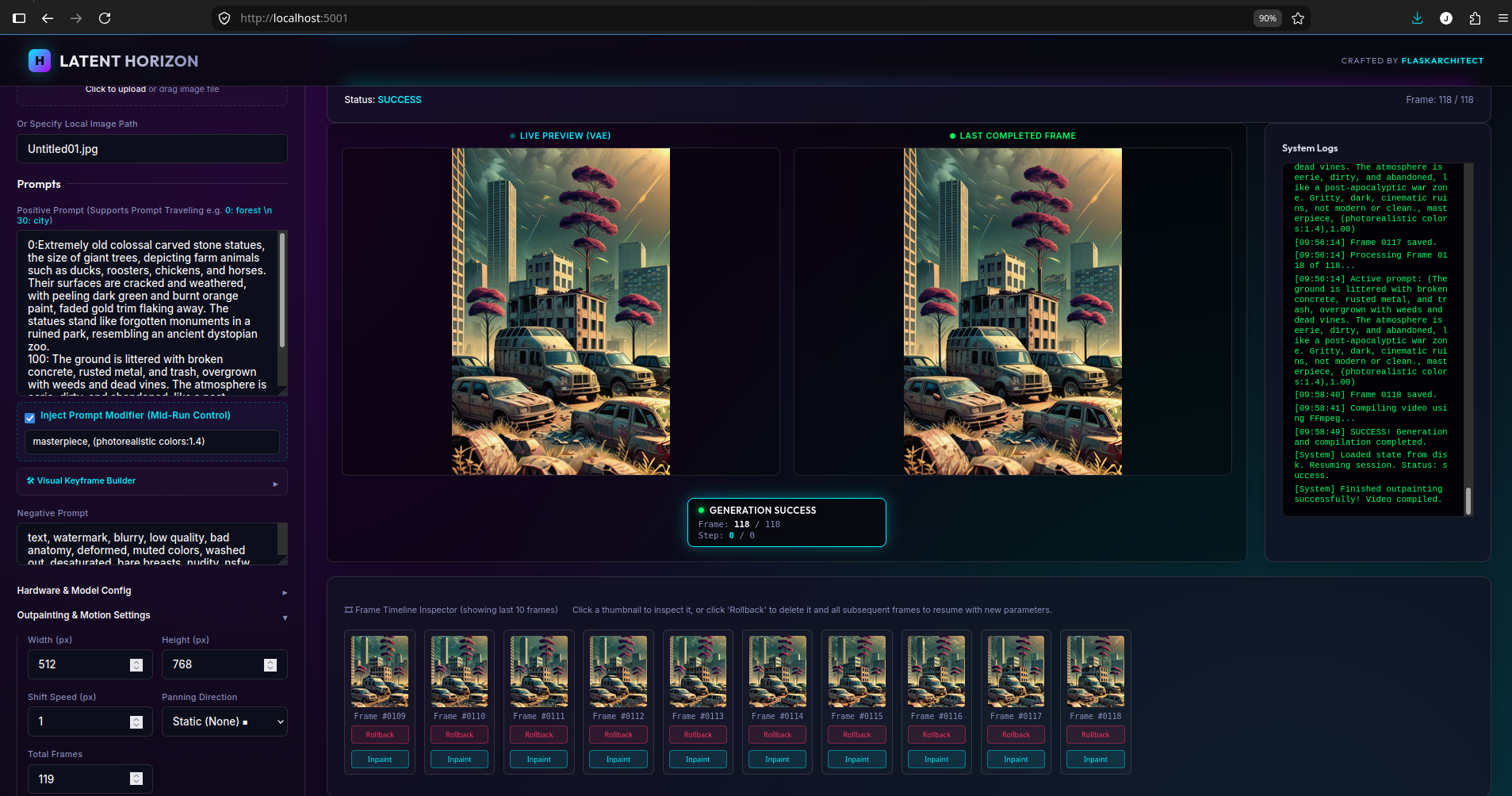
Latent-Horizon AI SLERP Video Creater
Latent Space Prompt Blending & Interpolation in Stable Diffusion 🌀
In recursive image-to-image feedback loops (like Latent Infinite Zoom), transitioning smoothly between completely different visual concepts is a major challenge. If you simply change the prompt text abruptly between frames, the generation engine will undergo a jarring visual "cut," destroying the continuity of the zoom.
Instead of blending prompts as text strings, the engine in [LatentHorizon.py]
Latent-Horizon/LatentHorizon.py) performs Latent Space Prompt Blending—interpolating the raw numerical embedding vectors produced by the CLIP text encoder.
---
1. Theoretical Background: From Text to Latent Vectors
To understand latent space blending, we must look at how Stable Diffusion processes written language.
The Tokenizer and Text Encoder
1. Tokenization: Stable Diffusion cannot read letters. When you pass a prompt, a tokenizer breaks the text into word fragments ("tokens") and maps them to unique integers from its vocabulary.
2. Padding/Truncation: The pipeline standardizes prompt lengths to exactly 77 tokens (for Stable Diffusion 1.5). If a prompt is shorter, it is padded with empty/special tokens; if it is longer, it is truncated.
3. The CLIP Text Encoder: These 77 tokens are passed through a neural network (CLIP) that projects each token into a 768-dimensional space. The result is a prompt embedding tensor of shape
(1, 77, 768).
These embeddings represent the semantic concept of your prompt. Words like "ocean" and "water" will lie close to each other in this 768-dimensional coordinate system, while "fire" will lie far away.
---
2. Why Text Concatenation Fails
If you want an image that is $40\%$ "abandoned office" and $60\%$ "maintenance shop," a naive approach would be to concatenate the text strings:
"An abandoned office with trash and debris, a maintenance shop room filled with tools and cleaning supplies"...
[!NOTE]
LERP vs. SLERP: While VAE latent images (representing spatial pixel layouts) are often interpolated using Slerp (Spherical Linear Interpolation) to maintain vector magnitudes on a hypersphere, standard Lerp (Linear Interpolation) works exceptionally well for CLIP text embeddings because the attention mechanism relies on dot products, where directional magnitude scaling correlates closely with guidance influence.
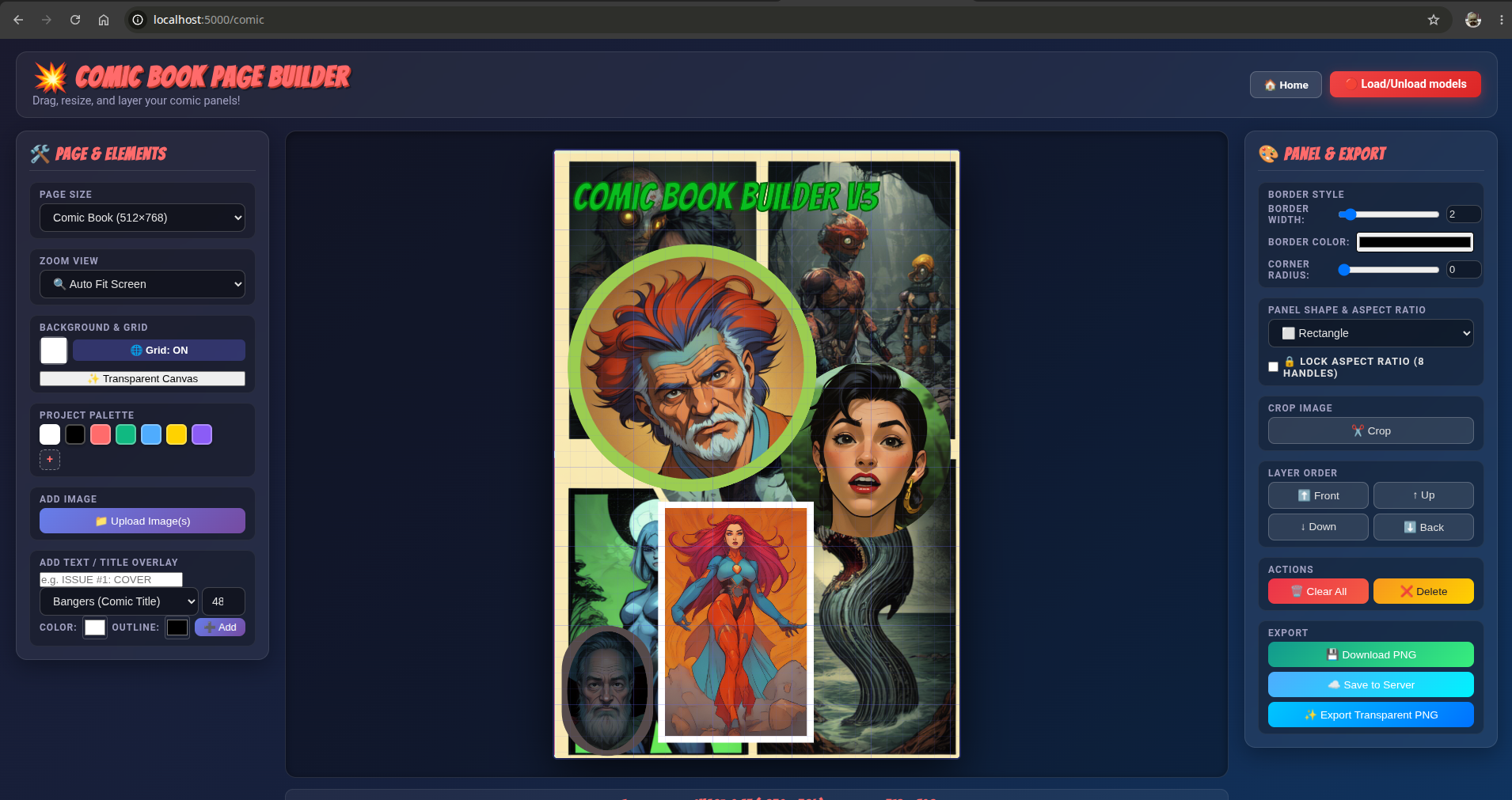
Comic Book Video Maker
🚀 Advanced Control & Creative Workflow Guide
ZoomPan Studio, Comic Builder & AI Generation Engine
This guide covers advanced techniques for professional AI comic production, non-destructive asset management, multi-model blending, and decoupled keyframe animation.
---
📸 1. The "Dream & Restyle" Workflow (Image-to-Image)
Decoupling your Comic Story Metadata (JSON) from your Artwork (Images) allows you to restyle or upgrade your comic pages infinitely without losing a single camera zoom point or speech bubble.
How Image-to-Image (img2img) Works
When you feed a rendered comic page or layout sketch into the AI generator with Image-to-Image mode, the Denoising Strength slider controls how much the AI modifies the original artwork:
| Denoising Strength | Mode & Purpose | What Happens | Keyframe Alignment |
| :--- | :--- | :--- | :--- |
| 0.15 – 0.35 | Enhance & Restyle | Keeps 75%–85% of exact panel lines & layout; adds rich lighting, comic shading, & textures. | 100% Perfect Alignment with JSON camera keyframes. |
| 0.40 – 0.60 | Refine & Evolve | Retains character poses & composition while updating background detail & line art. | High Alignment; minor tweaks may be needed. |
| 0.70 – 0.90 | Re-Imagine | Uses the source image only as a loose color/shape guide for a fresh interpretation. | Fresh canvas layout. |
Step-by-Step "Dreaming" Process
1. Layout & Draft: Create your comic page layout in the Comic Builder (/comic) or upload a rough sketch.
2. Keyframe Camera Motion: Open ZoomPan Studio (/), place your camera zoom points on panels, add speech bubbles, and save your project JSON.
3. Dream & Restyle:
* Open the AI Generator (/generation).
* Select 🖼️ Image-to-Image mode.
* Enter your base page filename (e.g. comic-page-abc123.png).
* Set Denoising Strength to 0.25.
Enter your art style prompt (e.g. "dark superhero comic, dramatic rim lighting, ink hatching, masterpiece"*).
4. Swap & Re-Render: Replace the background image with your newly dreamed image. Your JSON camera pans, zooms, and speech bubbles will automatically snap onto the new artwork!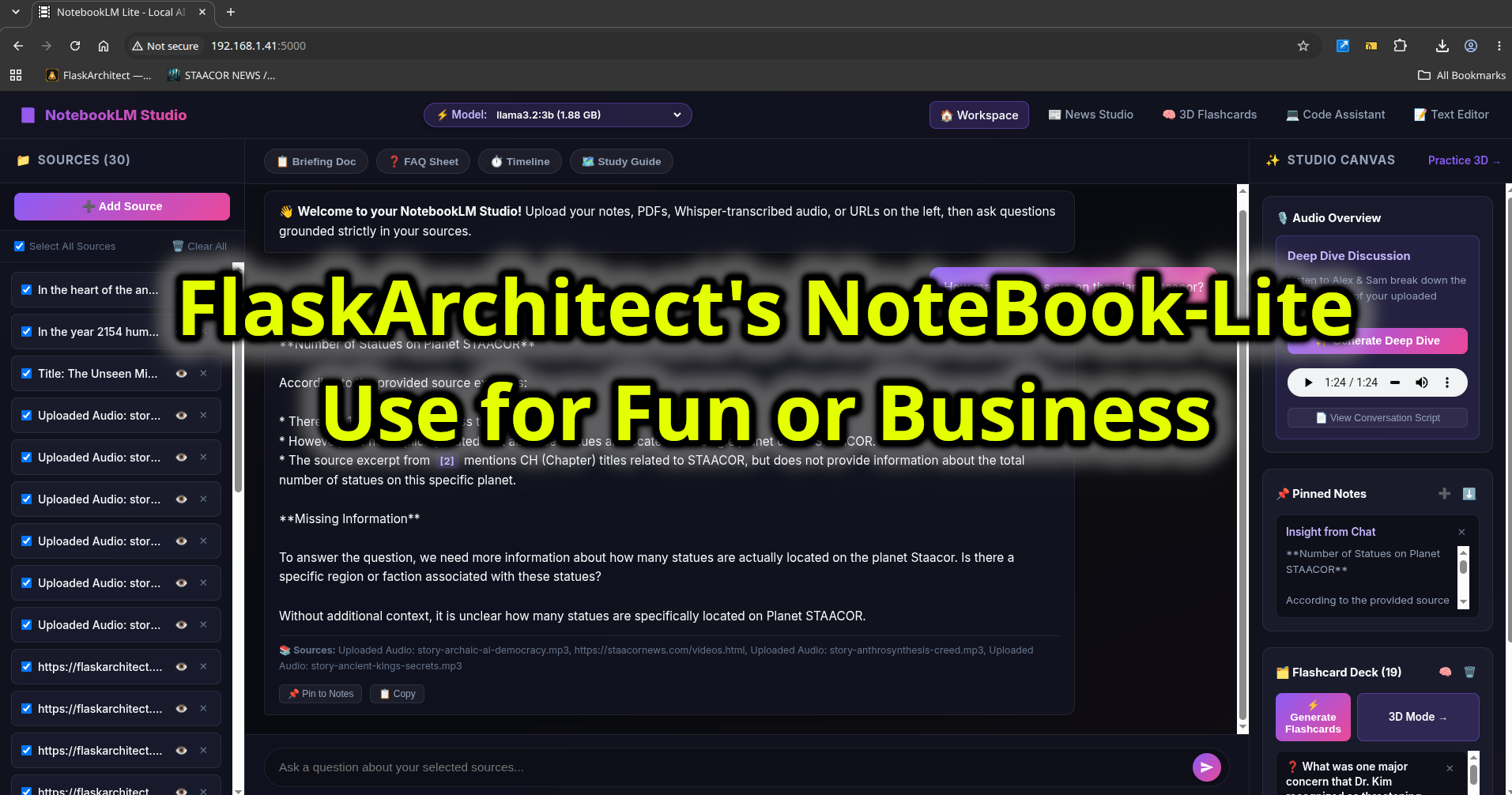
Notebooklm_lite RAG
Alex: FlaskArchitect's Neural Core is built on top of Python and WSGI, allowing for high-throughput applications with AI-powered automation pipelines.
Sam: Think of it like a super-efficient highway system where microservices can zip past each other without slowing down – that's the secret to their speed and resilience.
Alex: The system's routing capabilities are designed to handle multiple requests concurrently, ensuring sub-40ms latency for LLMs and other AI-powered endpoints.
Sam: Imagine you're at an airport with multiple planes taking off simultaneously; FlaskArchitect's router ensures each plane (or request) gets its own dedicated runway – no congestion!
Alex: By decoupling Celery and Redis worker meshes, FlaskArchitect can handle 12,000+ background tasks per minute without blocking web requests.
Sam: Picture a team of highly skilled workers who can focus on different tasks simultaneously; FlaskArchitect's asynchronous pipelines are like that – super-productive and efficient!
Alex: The RAG & Vector Retrieval system uses high-precision document grounding to provide accurate results in real-time, utilizing technologies like ChromaDB and Qdrant.
Sam: Envision a highly advanced search engine with capabilities rivaling those of Google; FlaskArchitect's computer vision gateways deliver this level of precision for real-time RTSP video stream processing.
Interactive Flask Architecture Generator
Test our real-time backend neural synthesis engine. Enter your microservice requirements and observe instant Python & Flask blueprint generation.
Architecture Control Parameters
from flask import Flask, jsonify, request, Response
import asyncio, json, redis

# Initialize High-Throughput Flask Neural Router
app = Flask(__name__)
cache = redis.Redis(host='127.0.0.1', port=6379, db=0)

@app.route('/api/v1/inference', methods=['POST'])
def run_neural_pipeline():
    payload = request.get_json() or {}
    query = payload.get('query', 'Flask SSE Streaming LLM Route')
    # Step 1: Semantic Embedding & Vector Retrieval
    context = cache.get(f'sem:{query}') or retrieve_vectors(query)
    # Step 2: Stream Token Outputs via SSE
    return Response(stream_llm(query, context), mimetype='text/event-stream')

if __name__ == '__main__':
app.run(host='0.0.0.0', port=5000, threaded=True)Flask Intelligent Engine Flow
Visualizing the end-to-end data pipeline from client request to vector inference and streamed response.
1. Client / App
Tactile Web UI & Mobile SSE Stream
2. Flask Core API
WSGI/ASGI Middleware & Auth Guard
3. Redis Cache
Sub-millisecond Semantic Memory
4. Celery Mesh
Distributed AI Inference Workers
5. Vector / LLM
ChromaDB & Real-time Neural Models
AI Generated Media & Visual Systems
Generative neural imagery, synthetic video storyboards, and tactile interfaces produced by our Flask synthesis pipelines.



Ready to Engineer Your Next Flask AI System?
Whether you need an enterprise RAG pipeline, a high-throughput Celery worker mesh, or a bespoke intelligent web application, let's architect it together.